Media Preview für Windows
- Von BabelSoft
- Kostenlos
- 1.4.3.429
Ähnliche Programme
Sothink Free Video Converter
Sothink Free Video Converter is a lightweight application that allows you to convert rich video and audio formats with high definition at fast speed. Key features include: HD Support : Convert high-definition videos and any other formats, like HD MP4, HD AVI, MOV, MKV, M2TS, M2T, MTS. Full media formats: Convert AVI, MP4, FLV, ASF, WMV, MKV, MOV, MPEG, H.264, RM, 3GP, M2TS, MP3, WMA, AAC, OGG, WAV, YouTube, CD/VCD/SVCD/DVD. HTML5 video converter: Convert videos to HTML5 video formats (OGG, MP4, WebM). Video editing: Trim video clips, edit video codecs, dimension, zoom, bit rate, frame rate, sample rate, channel, video/audio quality. Instant preview support. Multiple device support:Apple iPad/iPod/iPhone, Sony PSP, Zune, MP4 players, Android, BlackBerry, Nokia, HTC, Xbox. Overall, Sothink Free Video Converter is an easy to use application that has a crisp and uncluttered user interface; 5 drop down menu's and the file management pane is where all the action takes place. Unfortunately, most of the encoding options are reserved for the full version. Apart from those issues, it is a very intuitive application with a good looking interface coupled with some cool features such as photo extraction from video and batch processing to help you plow your way through your media collection.
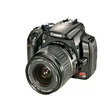
Contenta RAW Converter
Contenta RAW Converter is a simple, yet powerful tool that can convert your RAW images. It also gives you the ability to rename and organize your photos in subfolders using EXIF/IPTC/XMP tags, and you can read RAW files and save them to jpg, jpeg2000, gif, png, tiff. Contenta RAW Converter also offers many useful and unexpected features in addition to its file conversion capabilities. The app’s interface is both sleek and intuitive, with buttons which explain clearly the conversion process. However, if you need, there is a thorough, well-written Help file available. You can can select individual files or entire directories to convert. Key Features include: Read RAW formats including RAW, NRW, RW2, RWL, DNG, CRW, CR2, ORF, MRW, THM, NEF, PEF, SRF, ARW, SRW, 3FR, ERF, KDC, SR2, RAF, X3F, DCR, DRF, MEF, MOS, PTX. Write to common formats including JPG, JPEG 2000 (JP2, J2K), GIF, PNG, TIFF, BMP, PPM, PDF. Batch conversion. Batch RAW processing (brightness, white balance, denoising) Preview quality and final file sizes. Reduce sizes for computer screens, web publishing, iPod, PSP. Share photos online and order prints in one click. Automatically rename using metadata. Optimized for multi-core processing. There are also other options available before you convert your files, such as adjusting brightness, color, and other aspects of your images. Once you have adjusted your images then the conversion process takes only a short time, as Contenta RAW Converter has been optimized for multi-core processors to help speed up your conversions by using as much of your CPU as possible. After you have converted your images, Contenta RAW Converter gives you the option to create PDF slideshows, save your images to various media or share them. The application lets you upload images to the Contenta’s server, where they can be viewed for up to a week by anyone that has access to the URL. Overall, Contenta RAW Converter is easy to use, has an intuitive interface and boasts some surprising post conversion options. It has support for numerous file types and the ability to batch convert your images along with renaming and organising them, makes Contenta RAW Converter a good choice if you have lots of images that need converting.

Nexus
The Winstep Nexus Dock is a FREE professional dock for Windows. With Nexus, your most frequently used applications are only a mouse click away - and Nexus turns working with your computer into a fun and exciting experience. The Nexus dock provides one-click access to frequently used applications, folders and documents. Main features: Display running applications on the dock with task grouping, filtering and icon customization options. Display system tray on the dock as single or grouped icons. Blur-Behind and colorization of dock backgrounds. Monitor active connections and bandwidth usage with Net Meter module. Get weather forecast for over 39,000 cities world-wide. Multiple mouse over effects: zoom, swing, bounce and more! Live icon reflections and animated water-like effects for reflections and dock backgrounds. Easily change appearance of icons of running programs and shortcuts by drag & dropping PNG, ICO and TIF files directly into the icon. Multi-monitor support. Compatible with skins for all 3rd party docks.
Apowersoft ApowerManager
ApowerManager provides a professional phone management service for Android and iOS. Dubbed a ‘one-stop management for phones’ program, this Apowersoft creation can efficiently manage your photos, music, videos, contacts, messages and more. The latest update to this application, launched in 2018, boasts more innovative and improved features. It is a decent tool for those looking to optimise and tidy up their device and helps to make life more efficient through use on mobile and computer. Key features include: Manage phone from PC with ease. Strong data manager. Versatile connectivity options. Great backup tool. Optimised screen mirroring feature. App manager. Storage assessor. Send text messages. Welcoming and helpful interface. Essentially ApowerManager allows you to import, export, move or delete the media files kept on your mobile phone, all from your computer. Users will also be able to preview pictures, listen to music and watch videos on the large monitor. This handy app also enables you to backup, organise, transfer and print contacts and messages without any issues. Android users can even send text messages from PC with a keyboard, while iOS users can manage call history. Overall, this freshly updated program provides a more user-friendly approach to managing your device. Getting the most out of Apowersoft’s handy app has never been so straightforward. Users can efficiently transfer or preview a variety of files between mobile and PC without any hassle.

Any Data Recovery Pro
Any Data Recovery Pro has been designed for recovering lost data, such as photos, videos, documents, which have been mistakenly deleted from various storage devices, such as external hard drives, USB flash drives, and memory cards. The application supports numerous file types including as .doc, .xls, .rar, .jpg, .png, .rmvb, .zip, .mp3, and .mp4 etc. Any Data Recovery Pro not only recovers data from hard drive, USB flash drive, etc. with FAT12, FAT16, FAT32, NTFS file systems, but it can also supports Mac file system (HFS, HFS+), and Linux file systems (EXT2, EXT3). Key features include: Recover more than 550 file types. 2 recovery modes. Support all file systems including FAT12, FAT16, FAT32, NTFS, HFS, HFS+, EXT2,EXT3,and EXT4 partitions. Preview photos and listen the audio files before recovering. Optionally recover selected files. Any Data Recovery Pro is a good utility to help you recover lost files from corrupted, re-sized, deleted or dead partitions, and you can retrieve data from various storage media such as USB flash drives, and SD cards. The interface is both clean and easy to navigate, and the vast array of supported file types makes Any Data Recovery Pro a good tool to own.

CCleaner Free
Reinigung und Optimierung einfach gemacht

AnyDesk
AnyDesk ist eine beliebte Remote-Desktop-Anwendung, die einen neuen Videocodec verwendet, der speziell für frisch aussehende grafische Benutzeroberflächen entwickelt wurde. AnyDesk-Software ist vielseitig, sicher und leichtgewichtig. Die Software verwendet TLS1.2-Verschlüsselung, und beide Enden der Verbindung werden kryptografisch verifiziert. AnyDesk ist sehr leicht und in eine 1MB große Datei gepackt, und es sind keine administrativen Rechte oder Installationen erforderlich. Die UI von AnyDesk ist wirklich einfach und leicht zu navigieren. Mit AnyDesk können Sie Ihren persönlichen Computer von überall her benutzen. Ihre personalisierte AnyDesk-ID ist der Schlüssel zu Ihrem Desktop mit all Ihren Anwendungen, Dokumenten und Fotos. Am wichtigsten ist, dass Ihre Daten dort bleiben, wo sie hingehören - auf Ihrer Festplatte und nirgendwo sonst.

Spotify
Mit Spotify ist es einfach, die richtige Musik für jeden Moment zu finden - auf Ihrem Telefon, Ihrem Computer, Ihrem Tablet und mehr. Es gibt Millionen von Spuren auf Spotify. Ob Sie nun trainieren, feiern oder entspannen, die richtige Musik ist immer zur Hand. Wählen Sie, was Sie sich anhören möchten, oder lassen Sie sich von Spotify überraschen. Sie können auch in den Musiksammlungen von Freunden, Künstlern und Prominenten stöbern oder einen Radiosender gründen und sich einfach zurücklehnen. Vertonen Sie Ihr Leben mit Spotify. Abonnieren oder kostenlos anhören.

Filmora Video Editor
Ein anfängerfreundlicher Video-Editor

Rufus
Rufus ist ein kleines Dienstprogramm, das bootfähige USB-Flash-Laufwerke, wie USB-Sticks oder Pen-Drives, und Speichersticks formatieren und erstellen kann. Rufus ist in den folgenden Szenarien nützlich: Wenn Sie USB-Installationsmedien aus bootfähigen ISOs für Windows, Linux und UEFI erstellen müssen. Wenn Sie auf einem System arbeiten müssen, auf dem kein Betriebssystem installiert ist. Wenn Sie ein BIOS oder eine andere Firmware von DOS flashen müssen. Wenn Sie ein Dienstprogramm auf niedriger Ebene ausführen müssen. Rufus kann mit den folgenden* ISOs arbeiten: Arch Linux, Archbang, BartPE/pebuilder, CentOS, Damn Small Linux, Fedora, FreeDOS, Gentoo, gNewSense, Hiren's Boot CD, LiveXP, Knoppix, Kubuntu, Linux Mint, NT Password Registry Editor, OpenSUSE, Parted Magic, Slackware, Tails, Trinity Rescue Kit, Ubuntu, Ultimate Boot CD, Windows XP (SP2 oder später), Windows Server 2003 R2, Windows Vista, Windows 7, Windows 8. *Diese Liste ist nicht vollständig. Die unterstützten Sprachen umfassen: Bahasa Indonesia, Bahasa Malaysia, Ceština, Dansk, Deutsch, English, Español, Français, Hrvatski, Italiano, Latviešu, Lietuviu, Magyar, Nederlands, Norsk, Polski, Português, Português do Brasil, Româna, Slovensky, Slovenšcina, Srpski, Suomi, Svenska und Türkçe.

FileZilla
FileZilla Client ist ein schneller und zuverlässiger plattformübergreifender FTP-, FTPS- und SFTP-Client mit vielen nützlichen Funktionen und einer intuitiven grafischen Benutzeroberfläche. Zu den Merkmalen von FileZilla gehören unter anderem die folgenden: Leicht zu bedienen Unterstützt FTP, FTP über SSL/TLS (FTPS) und das SSH-Dateiübertragungsprotokoll (SFTP) IPv6-Unterstützung In vielen Sprachen verfügbar Unterstützt die Wiederaufnahme und Übertragung großer Dateien mit mehr als 4 GB Leistungsstarker Site Manager und Übertragungswarteschlange Lesezeichen Unterstützung für Drag & Drop Konfigurierbare Übertragungsgeschwindigkeitsgrenzen Dateinamen-Filter Netzwerk-Konfigurations-Assistent Remote-Dateibearbeitung Keep-alive HTTP/1.1, SOCKS5 und FTP-Proxy-Unterstützung Protokollierung in eine Datei

2007 Microsoft Office Add-in: Microsoft Save as PDF or XPS