Metadata++ für Windows
- Von jean-piquemal
- Kostenlos
- 2.05.1
Ähnliche Programme

EPUB Metadata Editor
Optimieren Sie Ihre EPUB-Dateien mit Leichtigkeit
PDF Compressor V3
PDF Compressor V3 is a compression app for PDF formatted documents. With it you can shrink and reduce the size of PDFs while maintaining best image quality. With a smart compression engine, PDF Compressor V3 supports adjusting the resolution of images included in PDFs. It can compress images using the CompressImages method to decrease image size whilst keep the quality as high as possible. Key Features: Remove all images from PDFs can reduce the size of PDFs significantly. Alter the resolution and images quality from 0 to 100 by using a simple track bar control. Remove unnecessary content. Converting PDF files to GrayScale and decrease PDF files size significantly. Export your documents as linearized PDFs for fast web viewing. Supports multiple document compression. In addition to the CompressImages tool, the app offers seamless PDF compression technology that can decrease the PDF file size by eliminating useless and unnecessary elements. If you need the size to be reduced further you can tweak the options to remove annotations, attachments, bookmarks as well as unused objects, unused streams and also un-embbed fonts.

AnyDesk
AnyDesk ist eine beliebte Remote-Desktop-Anwendung, die einen neuen Videocodec verwendet, der speziell für frisch aussehende grafische Benutzeroberflächen entwickelt wurde. AnyDesk-Software ist vielseitig, sicher und leichtgewichtig. Die Software verwendet TLS1.2-Verschlüsselung, und beide Enden der Verbindung werden kryptografisch verifiziert. AnyDesk ist sehr leicht und in eine 1MB große Datei gepackt, und es sind keine administrativen Rechte oder Installationen erforderlich. Die UI von AnyDesk ist wirklich einfach und leicht zu navigieren. Mit AnyDesk können Sie Ihren persönlichen Computer von überall her benutzen. Ihre personalisierte AnyDesk-ID ist der Schlüssel zu Ihrem Desktop mit all Ihren Anwendungen, Dokumenten und Fotos. Am wichtigsten ist, dass Ihre Daten dort bleiben, wo sie hingehören - auf Ihrer Festplatte und nirgendwo sonst.

Spotify
Mit Spotify ist es einfach, die richtige Musik für jeden Moment zu finden - auf Ihrem Telefon, Ihrem Computer, Ihrem Tablet und mehr. Es gibt Millionen von Spuren auf Spotify. Ob Sie nun trainieren, feiern oder entspannen, die richtige Musik ist immer zur Hand. Wählen Sie, was Sie sich anhören möchten, oder lassen Sie sich von Spotify überraschen. Sie können auch in den Musiksammlungen von Freunden, Künstlern und Prominenten stöbern oder einen Radiosender gründen und sich einfach zurücklehnen. Vertonen Sie Ihr Leben mit Spotify. Abonnieren oder kostenlos anhören.

JustDecompile
JustDecompile is a very useful software tool for .NET developers, allowing them to easily recover any lost source code or examine assemblies in order to find the source of an external bug. JustDecompile can also be used to create and build Visual Studio projects from a decompiled assembly, as well as to extract resources (such as icons, images and text strings) embedded in assemblies. You can add as many assemblies as you want using the handy drag and drop feature, while the 'Assembly List' menu allows you to load all existing assemblies, as well as create new ones. A handy feature of JustDecompile is that you can preview the code, used resources, values and objects for each assembly, all in a new tab within the main window. There are plug-ins available enabling you to extend the functionality of this already feature-rich program. The 'Plugin Manager' is your aid to organizing all plugins, as well as assisting you in installing new ones. JustDecompile quickly loads the core framework assemblies for .NET 2, .NET 3.5, .NET 4, .NET 4.5, WinRT Metadata and Silverlight, while the robust search method quickly pinpoints problems.

CCleaner Free
Reinigung und Optimierung einfach gemacht

2007 Microsoft Office Add-in: Microsoft Save as PDF or XPS

Rufus
Rufus ist ein kleines Dienstprogramm, das bootfähige USB-Flash-Laufwerke, wie USB-Sticks oder Pen-Drives, und Speichersticks formatieren und erstellen kann. Rufus ist in den folgenden Szenarien nützlich: Wenn Sie USB-Installationsmedien aus bootfähigen ISOs für Windows, Linux und UEFI erstellen müssen. Wenn Sie auf einem System arbeiten müssen, auf dem kein Betriebssystem installiert ist. Wenn Sie ein BIOS oder eine andere Firmware von DOS flashen müssen. Wenn Sie ein Dienstprogramm auf niedriger Ebene ausführen müssen. Rufus kann mit den folgenden* ISOs arbeiten: Arch Linux, Archbang, BartPE/pebuilder, CentOS, Damn Small Linux, Fedora, FreeDOS, Gentoo, gNewSense, Hiren's Boot CD, LiveXP, Knoppix, Kubuntu, Linux Mint, NT Password Registry Editor, OpenSUSE, Parted Magic, Slackware, Tails, Trinity Rescue Kit, Ubuntu, Ultimate Boot CD, Windows XP (SP2 oder später), Windows Server 2003 R2, Windows Vista, Windows 7, Windows 8. *Diese Liste ist nicht vollständig. Die unterstützten Sprachen umfassen: Bahasa Indonesia, Bahasa Malaysia, Ceština, Dansk, Deutsch, English, Español, Français, Hrvatski, Italiano, Latviešu, Lietuviu, Magyar, Nederlands, Norsk, Polski, Português, Português do Brasil, Româna, Slovensky, Slovenšcina, Srpski, Suomi, Svenska und Türkçe.
Contenta RAW Converter
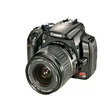
Contenta RAW Converter is a simple, yet powerful tool that can convert your RAW images. It also gives you the ability to rename and organize your photos in subfolders using EXIF/IPTC/XMP tags, and you can read RAW files and save them to jpg, jpeg2000, gif, png, tiff. Contenta RAW Converter also offers many useful and unexpected features in addition to its file conversion capabilities. The app’s interface is both sleek and intuitive, with buttons which explain clearly the conversion process. However, if you need, there is a thorough, well-written Help file available. You can can select individual files or entire directories to convert. Key Features include: Read RAW formats including RAW, NRW, RW2, RWL, DNG, CRW, CR2, ORF, MRW, THM, NEF, PEF, SRF, ARW, SRW, 3FR, ERF, KDC, SR2, RAF, X3F, DCR, DRF, MEF, MOS, PTX. Write to common formats including JPG, JPEG 2000 (JP2, J2K), GIF, PNG, TIFF, BMP, PPM, PDF. Batch conversion. Batch RAW processing (brightness, white balance, denoising) Preview quality and final file sizes. Reduce sizes for computer screens, web publishing, iPod, PSP. Share photos online and order prints in one click. Automatically rename using metadata. Optimized for multi-core processing. There are also other options available before you convert your files, such as adjusting brightness, color, and other aspects of your images. Once you have adjusted your images then the conversion process takes only a short time, as Contenta RAW Converter has been optimized for multi-core processors to help speed up your conversions by using as much of your CPU as possible. After you have converted your images, Contenta RAW Converter gives you the option to create PDF slideshows, save your images to various media or share them. The application lets you upload images to the Contenta’s server, where they can be viewed for up to a week by anyone that has access to the URL. Overall, Contenta RAW Converter is easy to use, has an intuitive interface and boasts some surprising post conversion options. It has support for numerous file types and the ability to batch convert your images along with renaming and organising them, makes Contenta RAW Converter a good choice if you have lots of images that need converting.

TeamViewer
Eine Remote-Desktop-Anwendung

Icecream Screen Recorder
Eine kostenlose Anwendung für Bildschirmaufnahmen

ICQ
Mit dem ICQ Instant Messenger können Sie Video-/Audio-Chats führen, E-Mails, SMS und drahtlose Pager-Nachrichten versenden sowie Dateien und URLs übertragen. Wenn Sie sich nicht an Ihrem Computer befinden, können Sie mit Freunden und Kontakten chatten, auch wenn der ICQ-Client nicht installiert ist, indem Sie das webbasierte ICQ2Go verwenden, das von jedem Computer aus funktioniert. Sie können Ihr ICQ so anpassen, dass es genau Ihren Bedürfnissen entspricht und immer auf dem neuesten Stand ist, indem Sie Verknüpfungen zu Ihren Lieblingsfunktionen hinzufügen, um sie direkt von Ihrem ICQ aus zu starten. Das bedeutet, dass Sie Ihren Freunden und Kontakten Grußkarten und Einladungen zu Spielen, Multi-Chats, Videositzungen und mehr direkt von Ihrem Kunden und/oder dem Nachrichtenfenster aus senden können. Im Nachrichtenfenster können Sie auch wählen, ob Sie Ihr Foto oder einen der einzigartigen, animierten Teufel von ICQ anzeigen lassen wollen. ICQ Open Xtraz sind webbasierte Anwendungen, die von ICQ-Benutzern entwickelt wurden, um Ihre ICQ-Erfahrung zu bereichern. Jetzt können Sie lustige und nützliche Anwendungen wie Musik, Spiele, Gadgets und Tools erstellen, herunterladen, verwenden und mit Freunden teilen. Fügen Sie so viele hinzu, wie Sie wollen! Die Liste von Xtraz zum Herunterladen finden Sie in der Xtraz-Galerie.