
Just Like That für Windows
- Von Just Like That
- Zahlung
- 1.0
Ähnliche Programme

Gom Cam 64-bit
Gom Cam is a desktop video capture app that is packed with useful features. It allows you to record anything on your PC Screen, whether that be webcam feed, presentations, video calls, or gaming screens. With GOM Cam you can record what you see on your PC screen exactly as it appears. You can also record all audio outputs from your PC as well. This allows you to create more dynamic videos. You can also capture images and customize your capture by drawing on the screen while recording.Not only can you record your screen, but you can edit them on GOM Cam instantly. Select as many sections as you like and set a background music to bring your video to the next level. A great feature of GOM Cam worth mentioning is that it is a life-time long product. Which means once you purchase a license, your minor updates for the purchased version are offered for free. Key Features include: Easy To Use:The intuitive UI allows anyone to use GOM Cam easily. GOM Cam saves you time and effort by helping you get straight to recording what you want. Easy Sharing: Share your videos on YouTube or Facebook, so more of your friends can enjoy your creations. You can also upload your videos to Google Drive or attach your files to emails and documents. Extract Audio: Extract audio from recorded clips and save it as a file. This is useful when you want to listen to background music only, or study languages. Lecture recording: Functions for making school or online class materials are provided in one-step. Record in Real-Time: Record everything in real-time. All of the functions, including drawing, enlarging/reducing the recording screen, and the effects settings, are executed in real-time. Gom Cam Video Editor: Gom Cam has Quick edit and advanced edit features that let you add music, and crop sections of clips as you see fit. Continuous Capture: Continuous capture is supported for your set time and desired quantity. GIF Animation: Make funny animated GIFs with just a few clicks. By connecting a webcam to your PC, you can record everything captured through your device. If you connect multiple webcams, you can merge the images into one video. GOM Cam also allows you to fill the video background with any images you want by using the chroma key function. Gom Cam also allows you to set & search tags. You can set tags (keywords) for saved files on the file list, and then search files easily using the set tags. Overall, GOM Cam is a great tool with various uses and capabilities. You can capture images, during recording mode, draw on videos, zoom in/out, schedule recordings, and manage effects. It is lightweight, and consumes minimal system resources. *The Free version limits recording time to 20 minutes, and includes advertisements.

IObit Uninstaller
IObit Uninstaller is an effective system utility, which provides a rapid way to uninstall Windows apps, browser toolbars, bundleware and plug-ins. It comes with a powerful scan function and and a Force Uninstall tool, which both help to easily and completely remove stubborn apps and useless leftovers, to free up extra disk space. It removes malicious browser plugins, toolbars, and injected programs to give you secure and smooth online surfing experience. With cutting edge technology and expanded database, IObit Uninstaller can help you uninstall apps completely and safely. It also comes with useful tools that can monitor malicious browser plug-ins in real time. This ensures a faster browsing speed and a more secure online environment. IObit Uninstaller can also uninstall default Windows 10 apps. Key Features: Standard and Advanced Uninstall tools. Force Uninstall tool. Batch Uninstall function. Log Manager. Cleanup Residual. Startup Manager. Process Monitor. The utility features some additional Windows tools including autostart, and task managers that let you remove apps from the Windows autorun launch. It can also terminate currently running processes. Furthermore, the integrated cleanup utility has been designed to locate and remove invalid shortcuts, Windows patch cache, and useless downloads from the default download folders in various web browsers and download managers. With the advent of IObit Uninstaller version 7, the suite also pays high attention to bundleware and bundled plug-ins removal, by monitoring program installation in real time, it enables users to detect and remove installed bundleware and bundled plug-ins easily and completely. With newly added Software Updater, it is also simple and easy to keep your important programs always up to date. What's more, thanks to the enhanced scan engine and Force Uninstall feature, all leftovers can be removed thoroughly from your computer just like they were never installed in your PC. Overall, IObit Uninstaller is a superb utility for a freeware app. It has some really good pro options wrapped in an attractive, well structured and highly intuitive interface. Running processes takes hardly any CPU and RAM consumption and the app is relatively lightweight.
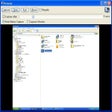
Screeny
Screeny is a uniquely versatile and powerful screen capture and desktop recording program that is free for personal use. That's right, free, completely, for personal use. It's also quite brilliant. Of course, while we here at FileHippo.com love free software, we really, really, really love it when the free stuff is better than some of the software tools out there you have to pay money for. And Screeny is really, really good. Just to clarify, we don't mean really good for free software, we actually just mean it's really good. Screeny isn't just another Windows Snipping tool that captures full screen and active windows or parts of your computer screen. Of course, it does do that, but Screeny is so much more. As well as full-screen and rectangular captures, it can also grab circle, DOS windows freehand selections, scrolling areas, menu structures, Windows objects (regions, windows, controls) and an awful lot more besides. Essentially, whatever you want to capture on your PC or laptop, you can. But it's the after effects where Screeny really shines. You can add shadows, border effects, captions, watermarks and a wide selection of other options as well. Screeny also comes with an editor and paint tool as standard, that allows you to annotate to your heart's content, and things like arrows, question marks, ticks and a load of objects that are similar to the now defunct Microsoft clip-art. Your screen captured images can be saved in a large number of formats including all the usual image files and the always useful PDF. Captured images can be sent via email or opened in Word, Excel, and PowerPoint. Screeny also really shines in one other area, and that's the ability to record your desktop, complete with audio. It's really good as well. Additionally, the built-in whiteboard is excellent for creating presentations in an instant, and allows you to save the files as AVI. (In the paid-for version, you can also save in WMV, FLV, SWF) Key Features: Record your desktop, complete with audio. Powerful screenshot tool. Free. (For personal use). Huge number of options. Well designed and lots, and lots of options. Built-in editor and paint tool. Overall, Screeny is a brilliant, free, powerful screenshot tool with a huge amount if utility, with a near staggering number of things it lets you do.

TightVNC
TightVNC is a free remote control software package derived from the popular VNC software. With TightVNC, you can see the desktop of a remote machine and control it with your local mouse and keyboard, just like you would do it sitting in the front of that computer. TightVNC can be used to perform remote control and administration tasks in Windows, Unix and mixed network environments. It can be very helpful in distance learning and remote customer support. TightVNC provides these features which are otherwise absent in standard VNC: File transfers in versions for Windows. Support for video mirror driver (Windows 2000 and above). Scaling of the remote desktop (viewer for Windows and Java viewer). Efficient "Tight" encoding with optional JPEG compression. Enhanced Web browser access. Support for two passwords, full-control and read-only.

PC Cleaner Perfect
PC Cleaner Perfect is a powerful PC Optimization utility for Windows based computers. Just like cars, age and mileage can take their toll on computers. All vehicles need an oil change from time to time to keep them running properly. By the same token, so do computers. But cleaning and optimizing computer systems is one of the most overlooked maintenance tasks by most computer owners. And to be sure, there are no shortage of cleaner apps out there to download to help keep our computers up and running. Cleaner Perfect is one cleaner that is worth downloading. The download and install is small and easy. The interface is simple and intuitive to use, but also looks good. Crucially, Cleaner Perfect does a good job removing and fixing all the junk and problem issues on your computer. Cleaner Perfect performs multiple cleaning and optimizing tasks for your computer. Each task can be performed individually or all run at once, whichever you prefer. It identifies registry and system errors and does a good job at fixing the system errors it finds during its searches. Some of the core highlights Cleaner Perfect can perform include fixing corrupted files, memory issues, startup errors, windows log errors, browser add-on errors, and system errors, and all at the same time. At the core of Cleaner Perfect are some advanced and powerful tools such as a Disk Cleaner, Windows Log Cleaner, Startup Cleaner, and a Disk Defragmenter. All Cleaner Perfect’s tools are self-explanatory and neatly organized. Once launched, the automatic scan does a good job of searching your computer for issues, and the resultant results page gives a comprehensive list of the potential problems on your machine, and can fix a lot of them with next to no input from yourself. Key Features: Powerful in-depth cleaner. Disk Defragmenter. Start-up cleaner. Deletes temporary files. Cleans browser add ons. Clear internet history. Windows log cleaner. Fixes corrupt files. Automatic all in one cleaning and optimization features. Overall, Cleaner Perfect is a novice friendly tool that offers you everything you could expect and want from software in this category. It’s easy and straightforward to use, and works fast and efficiently and will help to extend the useful serviceable life of your PC.

AnyDesk
AnyDesk ist eine beliebte Remote-Desktop-Anwendung, die einen neuen Videocodec verwendet, der speziell für frisch aussehende grafische Benutzeroberflächen entwickelt wurde. AnyDesk-Software ist vielseitig, sicher und leichtgewichtig. Die Software verwendet TLS1.2-Verschlüsselung, und beide Enden der Verbindung werden kryptografisch verifiziert. AnyDesk ist sehr leicht und in eine 1MB große Datei gepackt, und es sind keine administrativen Rechte oder Installationen erforderlich. Die UI von AnyDesk ist wirklich einfach und leicht zu navigieren. Mit AnyDesk können Sie Ihren persönlichen Computer von überall her benutzen. Ihre personalisierte AnyDesk-ID ist der Schlüssel zu Ihrem Desktop mit all Ihren Anwendungen, Dokumenten und Fotos. Am wichtigsten ist, dass Ihre Daten dort bleiben, wo sie hingehören - auf Ihrer Festplatte und nirgendwo sonst.

Spotify
Mit Spotify ist es einfach, die richtige Musik für jeden Moment zu finden - auf Ihrem Telefon, Ihrem Computer, Ihrem Tablet und mehr. Es gibt Millionen von Spuren auf Spotify. Ob Sie nun trainieren, feiern oder entspannen, die richtige Musik ist immer zur Hand. Wählen Sie, was Sie sich anhören möchten, oder lassen Sie sich von Spotify überraschen. Sie können auch in den Musiksammlungen von Freunden, Künstlern und Prominenten stöbern oder einen Radiosender gründen und sich einfach zurücklehnen. Vertonen Sie Ihr Leben mit Spotify. Abonnieren oder kostenlos anhören.

CCleaner Free
Reinigung und Optimierung einfach gemacht

2007 Microsoft Office Add-in: Microsoft Save as PDF or XPS

Rufus
Rufus ist ein kleines Dienstprogramm, das bootfähige USB-Flash-Laufwerke, wie USB-Sticks oder Pen-Drives, und Speichersticks formatieren und erstellen kann. Rufus ist in den folgenden Szenarien nützlich: Wenn Sie USB-Installationsmedien aus bootfähigen ISOs für Windows, Linux und UEFI erstellen müssen. Wenn Sie auf einem System arbeiten müssen, auf dem kein Betriebssystem installiert ist. Wenn Sie ein BIOS oder eine andere Firmware von DOS flashen müssen. Wenn Sie ein Dienstprogramm auf niedriger Ebene ausführen müssen. Rufus kann mit den folgenden* ISOs arbeiten: Arch Linux, Archbang, BartPE/pebuilder, CentOS, Damn Small Linux, Fedora, FreeDOS, Gentoo, gNewSense, Hiren's Boot CD, LiveXP, Knoppix, Kubuntu, Linux Mint, NT Password Registry Editor, OpenSUSE, Parted Magic, Slackware, Tails, Trinity Rescue Kit, Ubuntu, Ultimate Boot CD, Windows XP (SP2 oder später), Windows Server 2003 R2, Windows Vista, Windows 7, Windows 8. *Diese Liste ist nicht vollständig. Die unterstützten Sprachen umfassen: Bahasa Indonesia, Bahasa Malaysia, Ceština, Dansk, Deutsch, English, Español, Français, Hrvatski, Italiano, Latviešu, Lietuviu, Magyar, Nederlands, Norsk, Polski, Português, Português do Brasil, Româna, Slovensky, Slovenšcina, Srpski, Suomi, Svenska und Türkçe.

TeamViewer
Eine Remote-Desktop-Anwendung

Icecream Screen Recorder
Eine kostenlose Anwendung für Bildschirmaufnahmen