
Technische Daten
- Titel
- JPG To PDF Converter 1 für Windows
- Systemanforderungen
- Windows 98
- Windows 95
- Windows 2003
- Windows ME
- Windows NT
- Windows Vista
- Windows 7
- Windows XP
- Windows 98 SE
- Windows 2000
- Windows 8
- Sprache
- Deutsch
- Verfügbare Sprachen
- Englisch
- Spanisch
- Deutsch
- Französisch
- Italienisch
- Russisch
- Portugiesisch
- Niederländisch
- Polnisch
- Chinesisch
- Arabisch
- Tschechisch
- Koreanisch
- Japanisch
- Dänisch
- Lizenz
- Kostenlos
- Letztes Update
- Autor
- Free PDF Solutions
- SHA-1
bcbc5fc3452751ed1b3d348fb7f5cee85cd1cf5c
- Dateiname
- Free_JPG_to_PDF_Converter-v2.0.0.0.msi
Auch verfügbar auf anderen Plattformen
Programm verfügbar in anderen Sprachen
Changelog
Wir haben noch keine Changelog-Information von der Version 1 von JPG To PDF Converter. Manche Entwickler teilen diese Information etwas später. Schauen Sie bitte in ein paar Tagen noch einmal vorbei.
Können Sie uns helfen?
Falls Sie Informationen zum Changelog haben, würden wir gerne von Ihnen hören. Besuchen Sie unsere Kontaktseite und lassen Sie uns wissen.
Entdecken Sie Apps







Ähnliche Programme

JPG To PDF Converter
Effizientes Werkzeug zur JPG-zu-PDF-Konvertierung

Free Pdf To Jpg Converter
Kostenloser Pdf zu Jpg Konverter
PDF to JPG Converter
Effiziente PDF-zu-JPG Konvertierung

Free PDF To JPG Converter
Der kostenlose PDF to JPG Converter ist eine schlanke, leichtgewichtige Anwendung, die speziell dafür entwickelt wurde, so einfach wie möglich zu bedienen zu sein. Free PDF to JPG Converter unterstützt einzelne oder mehrere Konvertierungen. Free PDF to JPG Converter kann PDF-Dokumente in das JPG-Format und andere Dateitypen konvertieren, die Sie in vielen Grafikanwendungen öffnen und bearbeiten oder nach Belieben verwenden können. Die App hat jedoch weder einen Zeitplan noch eine Menge komplexer Optionen zur Auswahl, aber genau das macht ihren Reiz aus; das Layout und das Hauptfenster sind einfach aufgebaut und leicht zu navigieren. Zu den wichtigsten Merkmalen gehören: Unterstützung der Batch-Konvertierung Mehrseitige .pdf-Dateien konvertieren Unterstützt PDF zu JPG,PNG,TIFF, GIF. Insgesamt hilft Ihnen der kostenlose PDF to JPG Converter, einfache Konvertierungen schnell und einfach durchzuführen. Neben der Standard-JPG-Datei kann Free PDF to JPG auch andere Dateiformate wie PDF zu BMP, PDF zu PNG, PDF zu TIFF konvertieren. Es ist leicht und hat eine einfache Schnittstelle und einen geringen Platzbedarf. Wenn Sie einen einfachen PDF-Konverter benötigen, dann ist dies vielleicht genau das, was Sie brauchen.
JPG to PDF Pro Converter
Mühelose Bild-zu-PDF-Konvertierung mit JPG zu PDF Pro

PDF to JPG converter
Werkzeug zur Umwandlung von Dokumenten in Bilder
FM PDF To JPG Converter Pro
Effiziente PDF zu JPG Konvertierung leicht gemacht
Free Video to JPG Converter
Vorteile von DVD Movies to PDF Converter
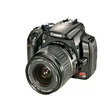
Contenta RAW Converter
Contenta RAW Converter is a simple, yet powerful tool that can convert your RAW images. It also gives you the ability to rename and organize your photos in subfolders using EXIF/IPTC/XMP tags, and you can read RAW files and save them to jpg, jpeg2000, gif, png, tiff. Contenta RAW Converter also offers many useful and unexpected features in addition to its file conversion capabilities. The app’s interface is both sleek and intuitive, with buttons which explain clearly the conversion process. However, if you need, there is a thorough, well-written Help file available. You can can select individual files or entire directories to convert. Key Features include: Read RAW formats including RAW, NRW, RW2, RWL, DNG, CRW, CR2, ORF, MRW, THM, NEF, PEF, SRF, ARW, SRW, 3FR, ERF, KDC, SR2, RAF, X3F, DCR, DRF, MEF, MOS, PTX. Write to common formats including JPG, JPEG 2000 (JP2, J2K), GIF, PNG, TIFF, BMP, PPM, PDF. Batch conversion. Batch RAW processing (brightness, white balance, denoising) Preview quality and final file sizes. Reduce sizes for computer screens, web publishing, iPod, PSP. Share photos online and order prints in one click. Automatically rename using metadata. Optimized for multi-core processing. There are also other options available before you convert your files, such as adjusting brightness, color, and other aspects of your images. Once you have adjusted your images then the conversion process takes only a short time, as Contenta RAW Converter has been optimized for multi-core processors to help speed up your conversions by using as much of your CPU as possible. After you have converted your images, Contenta RAW Converter gives you the option to create PDF slideshows, save your images to various media or share them. The application lets you upload images to the Contenta’s server, where they can be viewed for up to a week by anyone that has access to the URL. Overall, Contenta RAW Converter is easy to use, has an intuitive interface and boasts some surprising post conversion options. It has support for numerous file types and the ability to batch convert your images along with renaming and organising them, makes Contenta RAW Converter a good choice if you have lots of images that need converting.
Convert JPG to PDF
Effiziente JPG zu PDF Konvertierung für Windows
JPG To PDF
Schnelle und einfache JPG zu PDF Konvertierung
Convert Jpg Png Tiff Gif to Pdf
Effiziente Konvertierung von Bildformaten zu PDF
Zuletzt aktualisiert

Adobe Reader DC
PDF-kompatibles Programm

Power BI Desktop
Kostenlose App zur Datenanalyse und Modellierung

Screen Markup
Effiziente Annotation mit Screen Markup

BeCyPDFMetaEdit
Ein kurzer Blick auf BeCyPDF MetaEdit

MyIPTV Player
Ein kostenloses Programm für Windows, von Vbfnet Apps.
DesignCraft
DesignCraft: Leistungsstarkes Office-Tool für Kreative
Mail Attachment Downloader
Ist Windows GearMage eine schnellere und einfachere Methode zum Herunterladen von E-Mail-Anhängen?

PDFCraft
Vielseitiges PDF-Tool für Windows-Nutzer
Cisdem PDF Converter OCR
Ein Testversion-Programm für Windows von Cisdem Inc.

Quick Receipt Software
Effiziente Quittungsverwaltung mit Quick Receipt Software
DeckCraft
DeckCraft: Effizientes Tool für Präsentationen
Gear Doc Converter
Effiziente Dokumentenkonvertierung mit Gear Doc Converter