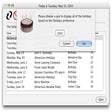
Alarm Clock für Mac
- Von robbie-hanson
- Kostenlos
- 2.4.5
Ähnliche Programme

Alarm Clock Pro
Effizientes Zeitmanagement mit Alarm Clock Pro

My Alarm Clock
Effiziente Alarm- und Timer-App für den Mac

Alarm Clock Pro
Funktionales Weckprogramm für den Mac
Alarm Clock for Desktop
Praktischer Desktop-Wecker für Mac-Nutzer

Timeless - Alarm Clock & Reminders
Effektive Erinnerungen mit Timeless

Clock Dock
Vielseitige digitale Uhr für den Mac

World Clock Deluxe
Präzise Zeitverwaltung mit World Clock Deluxe

Spotify for Mac
Mit Spotify ist es einfach, die richtige Musik für jeden Moment zu finden - auf Ihrem Telefon, Ihrem Computer, Ihrem Tablet und mehr. Es gibt Millionen von Spuren auf Spotify. Ob Sie nun trainieren, feiern oder entspannen, die richtige Musik ist immer zur Hand. Wählen Sie, was Sie sich anhören möchten, oder lassen Sie sich von Spotify überraschen. Sie können auch in den Musiksammlungen von Freunden, Künstlern und Prominenten stöbern oder einen Radiosender gründen und sich einfach zurücklehnen. Vertonen Sie Ihr Leben mit Spotify. Abonnieren oder kostenlos anhören.

TeamViewer for Mac
TeamViewer für Mac ist ein nützliches Werkzeug für Mac-Benutzer, die den Desktop-Zugriff mit anderen über das Internet teilen möchten. Früher ein Werkzeug, das hauptsächlich von Technikern zur Behebung von Problemen auf Host-Computern verwendet wurde, wird TeamViewer heute von Millionen von Anwendern genutzt, um Bildschirme gemeinsam zu nutzen, auf entfernte Computer zuzugreifen, zu trainieren und sogar virtuelle Besprechungen durchzuführen. TeamViewer stellt innerhalb weniger Sekunden eine Verbindung zu jedem Mac oder Server auf der ganzen Welt her. Sie können den Mac Ihres Partners fernsteuern, als ob Sie direkt davor sitzen würden. Merkmale: Computer über das Internet fernsteuern Zeichnen Sie Ihre Sitzung auf und speichern Sie sie zur Wiedergabe als Videodatei Online-Sitzungen Drag & Drop-Dateien Multi-Monitor-Unterstützung.

Adobe Acrobat Reader DC for Mac
Adobe Acrobat Reader DC für Mac ist der Industriestandard zum Anzeigen, Drucken, Unterzeichnen und Kommentieren von PDF-Dokumenten. Es ist der einzige verfügbare PDF-Viewer*, der in der Lage ist, alle Arten von PDF-Inhalten, einschließlich Formulare und Multimedia, zu öffnen und mit ihnen zu interagieren. Die Arbeit mit Adobe Acrobat Reader DC für Mac ist einfach, da es einige sehr coole Tools gibt, mit denen man arbeiten kann. Mit einer modernen, mit Registern versehenen Ansichtsoberfläche, die es Ihnen ermöglicht, mehrere Dokumente im selben Fenster anzuzeigen, und mit Anwendungen und Werkzeugen, die das Anzeigen, Überarbeiten und Kommentieren von Dokumenten verbessern können, werden Sie Ihren Arbeitsablauf sicherlich verbessern. Zu den wichtigsten Merkmalen gehören: PDFs anzeigen und annotieren. Kommentare hinzufügen. PDFs in Word konvertieren. PDF-Formulare ausfüllen, unterzeichnen und versenden. Branchenführende OCR. Genehmigen Sie PDFs oder lehnen Sie sie ab. Senden und Verfolgen. Intuitive Benutzeroberfläche. Riesige Palette von Werkzeugen. Unterstützung der berührungsempfindlichen Schnittstelle. Mobile Verbindung. Mit Adobe Acrobat Reader DC für Mac ist das Teilen Ihrer Arbeit keine lästige Pflicht mehr. Die App ermöglicht es Ihnen, Dokumente auf verschiedene Weise mit anderen zu teilen. Sie können Dateien über den Adobe Document Cloud-Dienst oder per E-Mail austauschen, und der Adobe Document Cloud-Dienst ermöglicht Ihnen auch das Speichern und den Zugriff auf PDF- und andere Dokumente von mehreren Geräten aus. Die App unterstützt alle PDF-Dateien vollständig und wird mit einer Vielzahl intuitiver Werkzeuge geliefert, die das Lesen der Dateien erleichtern, wie z.B. das automatische Scrollen. Es stehen auch verschiedene Lesemodi zur Auswahl, darunter Kontinuierliche und Einzelseiten, und es gibt sogar eine Text-zu-Sprache-Erzählung in Vorlesen. Insgesamt bietet Adobe Acrobat Reader DC für Mac eine effektive Reihe von Werkzeugen, mit denen Sie arbeiten können. Es wird mit einem Stapel neuer Funktionen geliefert, wie z.B. der Anzeige mit Registern und einigen praktischen Werkzeugen für Anmerkungen und Überprüfungen. Es ist jedoch erwähnenswert, dass einige Funktionen in Acrobat Pro DC gesperrt sind, aber was Sie erhalten, ist für den Durchschnittsanwender großartig. Zusammenfassend lässt sich sagen, dass der Adobe Acrobat Reader DC mit seiner hohen Qualität und der verbesserten Leistung gegenüber älteren Versionen einer der besten PDF-Reader auf dem Markt ist. *Adobe Acrobat Reader DC für Mac ist für alle führenden Desktop- und Mobilgeräte-Plattformen verfügbar.

Viber for Mac
Mac OS X wird mit iMessage geliefert, Apples Messaging-System, das auch in iOS integriert ist. Obwohl iMessage großartig ist, erlaubt es keine plattformübergreifende Nachrichtenübermittlung. Geben Sie Viber ein: eine Anwendung für Windows, Mac und Linux, die genau das tut. Viber ist freie Software, die zwei Schlüsselfunktionen bietet. Es gibt einen Text-Chat, ähnlich wie SMS, aber mit der Möglichkeit, auch Bilder zu versenden. Dann gibt es noch die Stimme; Viber bietet hochauflösenden Ton für hervorragende Qualität und Klarheit. Neben iMessage und Viber gibt es eine Vielzahl von Messaging-Anwendungen; Skype deckt den gleichen Markt ab und hat eine enorme Reichweite. Viber ermöglicht es den Benutzern jedoch, einen Anruf von einem Gerät auf ein anderes zu übertragen - eine hervorragende Funktion, die den Konkurrenten unerklärlicherweise fehlt. Weitere Vorteile sind: Einfache Viber-Verbindung über eine bestehende Telefonnummer, wodurch die Anmeldung wirklich einfach wird. Eine Reihe von Grafiken - genannt Aufkleber - die kostenlos zwischen den Kontakten verschickt werden können Vollständige geräteübergreifende Unterstützung für Windows, Mac und Linux (Ubuntu). Kostenlose Anrufe und Nachrichten in jedes Land der Welt. Mobile Apps, um das Gespräch auch unterwegs fortzusetzen. Mit der Unterstützung für Wifi und 3G und einer werbefreien Schnittstelle gewinnt Viber schnell an Tempo. Für Anrufe an normale Telefone können Sie den Zusatzdienst ViberOut ausprobieren.

VMWare Fusion Pro
Mit VMware Fusion Pro kann jeder Windows und Hunderte anderer Betriebssysteme auf einem Mac ausführen, ohne dass ein Neustart erforderlich ist. Die Anwendung ist einfach genug für neue Benutzer und dennoch leistungsstark genug für IT-Experten, Entwickler und Unternehmen. Zu den wichtigsten Merkmalen gehören: MacOS sierra-fähig Mit VMware Fusion Pro können Sie virtuelle Maschinen auf Macs mit MacOS 10.12 Sierra starten oder das neue MacOS sicher in einer Sandbox testen. Gebaut für Windows 10 Volle Unterstützung für die Ausführung von Windows 10 als virtuelle Maschine auf Ihrem Mac. Flexible Interaktion mit Anwendungen Der Einheitsmodus verbirgt den Windows-Desktop, so dass Sie Windows ausführen können. Anwendungen, als ob sie Mac-Anwendungen wären; direkter Start vom Dock, Spotlight oder Launchpad aus und ist in Exposé, Spaces und Mission Control zu sehen. Einfache Interaktion mit Windows-Anwendungen über Mac-Shortcuts und intuitive Gesten. Schnappschüsse Mit VMware Fusion Pro können Sie mithilfe von Snapshots einen "Rollback-Punkt" erstellen, um zu "on-the-fly" zurückzukehren. Systemanforderungen: 64-Bit-fähiger Intel® Mac (kompatibel mit Core 2 Duo-, Xeon-, i3-, i5-, i7-Prozessoren oder besser), mindestens 4 GB RAM, 750 MB freier Festplattenspeicher für VMware Fusion und mindestens 5 GB für jede virtuelle Maschine. Betriebssystem-Installationsmedien (Festplatte oder Festplatten-Image) für virtuelle Maschinen. Die empfohlene Grafikhardware für Windows DirectX 10 oder OpenGL 3.3 umfasst NVIDIA 8600M oder besser und ATI 2600 oder besser. Host-Betriebssysteme: Mac OS X 10.9 Ausreißer. Mac OS X 10.10 Yosemite. Mac OS X 10.11 El Capitan. MacOS 10.12 Sierra. Gastbetriebssysteme umfassen: Fenster 10 Windows 8.X. Windows 7. Windows XP. Mac OS 10.12 Sierra. Mac OS X 10.11 El Capitan. Mac OS X 10.10 Yosemite. Mac OS X 10.9 Ausreißer. Ubuntu. RedHat. SUSE. Debian. CentOS. VMware Fusion Pro wurde als einer der besten Monitore für virtuelle Maschinen im MacOS angepriesen. Sie bietet jeden Tag Agilität, Produktivität und Sicherheit. Die App ist für Benutzer aller Fachrichtungen extrem einfach zu navigieren.
Keynote
Keynote ist eine einfach zu bedienende und dennoch sehr leistungsfähige Präsentationssoftware, die von Apple entwickelt wurde. Die Keynote-Software bietet Ihnen eine Vielzahl von Werkzeugen und Effekten, die dafür sorgen, dass sich Ihre Präsentationen von der Masse abheben. Es kann für Präsentationen zu Hause, im akademischen und geschäftlichen Bereich verwendet werden. Es stehen über 30 von Apple gestaltete Themen zur Auswahl. Die visuellen Effekte sind einfach umwerfend zu verwenden. In Kombination mit Grafiken, Übergängen und Bildern können Sie qualitativ hochwertige Präsentationen mit einem frischen Aussehen erstellen. Mit Keynote können Sie schnell und einfach erstaunliche Präsentationen erstellen. Die Software verwendet eine einfache Drag-and-Drop-Schnittstelle mit einer übersichtlichen und gut gestalteten Formattafel und Werkzeugleiste. Keynote speichert Ihre Präsentation automatisch, wenn Sie Änderungen vornehmen, und mit iCloud können Sie von Ihrem Mac, iPad, iPhone, iPod Touch und iCloud.com auf Ihre Arbeit zugreifen und sie bearbeiten. Sie können eine Vielzahl von Medientypen importieren, darunter JPEG, TIFF, PNG, PSD, EPS, PDF, AIFF, MP3, AAC und MOV. Wenn Sie Ihr Meisterwerk erstellt haben, können Sie Ihre Präsentationen in Microsoft PowerPoint, PDF, QuickTime, HTML und Bilddateien exportieren. Sie können dann als Film für Facebook, Vimeo und YouTube freigeben. Hauptmerkmale: Schneller Einstieg Einfach zu verwendende Grafikwerkzeuge Animationen in Kinoqualität Teilen Sie Ihre Arbeit einfach mit anderen Wie Apple sagt: Hauptredner. Ihre Präsentation. Völlig herausgeputzt.