USB Image Tool für Windows
- Von Alexpage
- Kostenlos
- 1.85
Ähnliche Programme

DAEMON Tools Lite
ISO-Image-Ersteller und -Brenner
Windows Bootable Image Creator
Anleitung zum Erstellen eines Windows-Startabbilds (Bootable Image Creator)
USB Drive Factory Reset Tool
Kostenloses Tool für einen Faktor-Reset

EmuOS
Ein kostenloser Windows-Emulator zum Ausführen Ihrer Lieblingsspiele und -anwendungen

Dell OS Recovery Tool
Kostenlose USB-Wiederherstellungslaufwerk-App

Microsoft Windows and Office ISO Download Tool
Windows ISO Downloader is a brilliant tool that lets you download ISO image files for a number of different versions and builds of Microsoft Windows or Microsoft Office. If you need to perform a clean install of your operating system, Windows ISO Downloader can save you time and effort, in hunting down an unmodified disk image. As Windows ISO Downloader is a portable app, no installation is required. Simply download and run the app, either from your hard drive or from a USB flash drive. The app does not alter any Windows registry files, or generate any additional files or folders on your PC without your permission. Windows ISO Downloader has a simple user interface that is easy to navigate. The main window shows you a list of Windows and Microsoft Office versions to choose from. After selecting your preferred OS, simply choose an edition and a language from the drop-down menu and confirm your selection. Windows ISO Downloader then lets you choose between downloading the image file or copying its link to your clipboard. Overall, Windows ISO Downloader is a handy tool that let you retrieve unmodified ISO image files for Windows OS or Microsoft Office in a few clicks. It requires no configuration and is lightweight and easy to naviagate. *Note .NET Framework and Internet Explorer are both required.

Bootable USB Creator
Kostenlose Erstellung von bootfähigen USB-Laufwerken
WinUSB Maker
WinUSB Maker - Einfache Einrichtung und Installationsschritte
Disk Drill For Windows
Disk Drill, the famous Mac data recovery app, is now available for Windows. Disk Drill is a free professional-grade file recovery software, that values the importance of your data by implementing several safe recovery methods and enabling unique Recovery Vault technology that helps keeping your data secure. As long as your hard drive is not physically damaged, then Disk Drill will make sure you can easily recover files of all formats from NTFS, FAT, HFS/HFS+, EXT2/EXT3/EXT4 or even formatted, damaged or deleted partitions. Disk Drill's multiple recovery algorithms include Quick and Deep Scans, Universal Partition Search, and undeletion of protected data. Recovery process is simple, its progress can be paused, saved and loaded when it's convenient to you. Disk Drill works by reading and recovering from any media that can be mounted into your Windows PC: internal or external hard drives, memory cards, cameras, USB flash drives, Kindles and even some iPods. Once scanning is complete, you are presented with a tree-like list of recoverable items that includes found files and folders and reconstructed files. Disk Drill can easily rebuild hundreds of various file types: documents, pictures, archives, videos and more. So whether you have accidentally deleted data, emptied your Recycle Bin, suffered the effects of a virus attack, have a lost or inaccessible partition, experienced power failure or boot record corruption, you can be confident that Disk Drill will make the necessary recoveries. It also comes with the following easy-to-use extra features: Backup image creation Data protection Bad sectors management All of these features, combined with a polished user-friendly interface, mean that Disk Drill is a great choice if you are looking for an effective data recovery tool.
PowerISO
Kostenloses Windows-Programm zum Brennen von CDs und DVDs
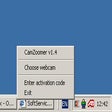
CamZoomer
CamZoomer - Was sind die wichtigsten Funktionen?
SysInfoTools Image Repair Tool
Effektives Tool zur Bildwiederherstellung