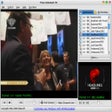
Online TV Player für Windows
- Von Online TV
- Kostenlos
- 4.9.5.0
Ähnliche Programme
Free Online TV
Windows-Netzwerkprogrammierung

VAVOO
Online-TV-Streaming leicht gemacht mit Vavoo
Online TV Player
Vielseitiger Online TV Player für Windows
Adblock Plus for Chrome
Adblock Plus for Google Chrome provides you with a great way to remove ads from the websites you visit. The extension will automatically detect all ads and banners, disable them and modify Chrome's layout to make it look as if those ads were never there at all. This will then allow you to focus on the content you want to see. The Adblock Plus extension works by using filters. There are several ready-made filters that are available, but you can also configure Adblock Plus to create your own filters, or mark previously-unfiltered items. One of the best features of Adblock Plus, though, is that it can strip Web video of any ads. This is a really useful feature if you regularly watch TV shows or other content online. This works quite well, but it isn't without hiccups, and there are sometimes jumps where ads would be in Web video. Adblock Plus is a useful tool that is customizable. You can add websites to white-lists to make them exempt from being blocked. You can also tweak the extension to suit your needs. The Adblock Plus extension is simple and effective, has good support and is fairly customizable. Overall, Adblock Plus for Google Chrome is a customizable and useful browser extension that can help improve your online experience by banishing annoying ads.
Web TV
Live-TV auf Ihrem Computer mit Web-TV-Software ansehen
Russia TV
Eine kurze Geschichte von Russia TV
Open TV
Open TV: Kostenlose Software-Anwendung zum Zugriff auf kostenlose Internet-Fernsehsender
NetTV Plus
NetTV Plus: Streamen Sie das Internet auf Ihrem Fernseher

Audiggle
If you happen to be an audiophile, then Audiggle is definitely an app you need! Audiggle is a lightweight audio recognition app that has some pretty cool features under the hood. In a single click of the mouse, Audiggle is able to give you the title and the artist for whatever track you care to be listening to. The tracks do not have to be in perfect quality, or for that matter an actual audio track on your computer. The source can be from a soundtrack to a scene in a DV, or a backing track of Youtube clip, or even from an Internet radio station. The Audiggle software works by capturing a short clip of whatever audio is playing on your PC, and it then searches a giant database of similar clips, and provides you with the answers. Audio Sources include: Watching a DVD. Online video. Streaming online TV. Internet Radio. Mislabelled audio tracks. Audiggle is really good at what it does. It does tend to work best of all with high quality audio, but if pushed, it can recognize background music from a scene in a TV show. Overall, Audiggle is a great app that is very capable. It is lightweight, it consumes hardly any of your system resources and can recognise audio data from all over the globe, in numerous languages. With the ability to checkout lyrics to tracks, and have download links for iTunes and Amazon, not to mention the ability to find out if the band you just discovered is playing locally, what more could you possibly need from an audio discovery tool?
TVexe
So verwenden Sie TVexe, um Ihre Lieblings-TV-Sendungen auf Ihrem Computer anzusehen

Media Companion
Media Companion ist ein kostenloser, quelloffener Film-/TV-Show-Manager und Organisator, der vollständig in KODI integriert ist. Die App sammelt Mediendaten aus dem Internet und integriert sie in Ihre Sammlung. Dazu gehören Daten zu Plakaten, Zusammenfassungen der Handlung, Schauspieler und Schauspielerbilder sowie Bewertungen. Der Media Companion kann ein Verzeichnis mit Ihren Filmdateien scannen und dann alle möglichen Informationen über Ihre Sammlung zusammenstellen. Es kann auf eine Vielzahl verschiedener Online-Datenbanken wie IMDB, TMDB und Yahoo! zugreifen, um die Datenbank mit Informationen über Ihre Mediensammlung zu füllen. Der Media Companion verfügt über eine Vielzahl nützlicher Werkzeuge, aber das bei weitem beste ist seine Integration mit KODI. Alle Informationen in der Media Companion-Datenbank werden mit KODI geteilt, da es sich um einen DLNA-kompatiblen Medienserver handelt. Das bedeutet, dass Sie über Ihre tragbaren Geräte, SmartTV oder Ihre Spielkonsole darauf zugreifen können. Insgesamt ist der Media Companion eine umfassende Lösung für die Organisation Ihrer Medien. Es ist leicht und, einmal installiert, fast vollständig automatisiert, so dass Sie sich nicht allzu viele Gedanken über die Konfiguration machen müssen.
MOV Player
Vielseitiger MOV Player für Windows-Nutzer